
CloudPop · Game guides
Cloud Escape
Take your time
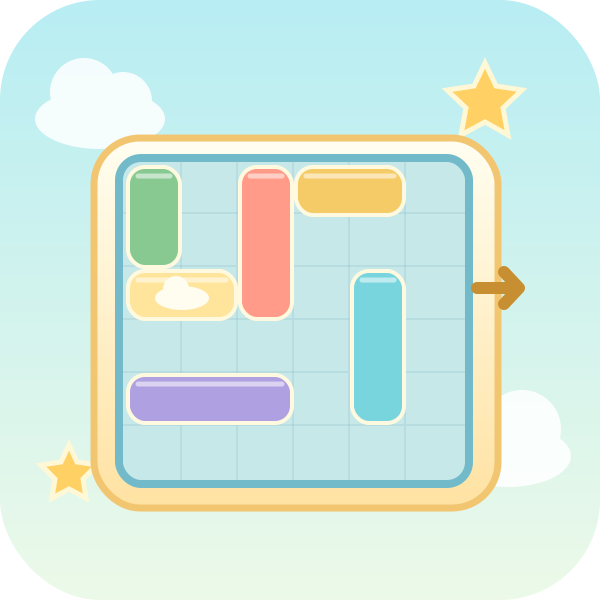
Overview
Slide airships along their length to bring the target airship to the right-hand exit.
Controls
Select an airship, then choose a direction and distance button.
How to play
- Slide airships along their length to bring the target airship to the right-hand exit. Select an airship, then choose a direction and distance button.
- Solve 12 puzzles on a 6×6 board. Select an airship, then use the buttons for direction and distance. One slide counts as one move, even across several cells. Arrow keys along its axis move it one cell at a time. Horizontal airships move left and right; vertical airships move up and down. They cannot pass through each other. Bring the target airship in the third row to the exit on the right. There is no timer; undo, hints, and restart are available. Your score is recorded on completion. Fewer moves above the puzzle’s target earn a higher score. Time and hints do not reduce it.
Scoring and rounds
Your score is recorded on completion. Fewer moves above the puzzle’s target earn a higher score. Time and hints do not reduce it.
Play tips
If an airship blocking the exit cannot move, inspect the space in front of and behind it first. Sometimes moving the target backward opens room for another airship. Work backward from the empty space you need.
Common mistakes
Airships cannot rotate or pass through one another. A multi-cell slide made with a distance button counts as one move; moving one cell at a time with arrow keys counts each move separately.
Taking a break
Use Pause or Esc to take a break, then select Resume. Switching tabs or windows also pauses a running game. Paused time does not count as play time.
Records and progress
Best scores, puzzle progress and settings are saved in this browser, without cross-device sync. Puzzle progress remembers which puzzle to start next; it does not restore unfinished boards or live rounds. Clearing site data removes records, and blocked storage may prevent new records from being kept.